I have this list of systems I still need to add to the game, and it’s sorted between systems that are quick adds (a few hours to complete to up to a few days) and systems that I know are going to take a lot more time to make (like a week or two if not longer.) The Character Creator system fell firmly into the second type. I was anticipating easily a week’s worth of development time to make it.
I have spent 3 days working tirelessly on it, and the first iteration is now complete. I have an additional option I want to add (belt type), and I need to add more color options for things like the character’s lips, shirt, pants, belt, and belt buckle.
With that said, I want to show you a behind-the-scenes look at the system being built. Let’s start with what the panel looked like initially:

As with any system, you have to start somewhere. I wasn’t even sure how the system would look. I just knew that player needed to see the character art change in real time and, of course, they needed to have options visible that they could interact with. Hoping for inspiration, I did a quick Google search to see what other games’ Character Creator systems looked like. One screenshot seemed to kick off something in my mind, and quickly, I had an idea for what my Character Creator could look like.
Oftentimes, before I add a system, I will sketch out by hand what I want it to look like. If I can visualize/see the system, then I can easily translate that into code. I printed out a screenshot of the bare panel, and sketched out the system.
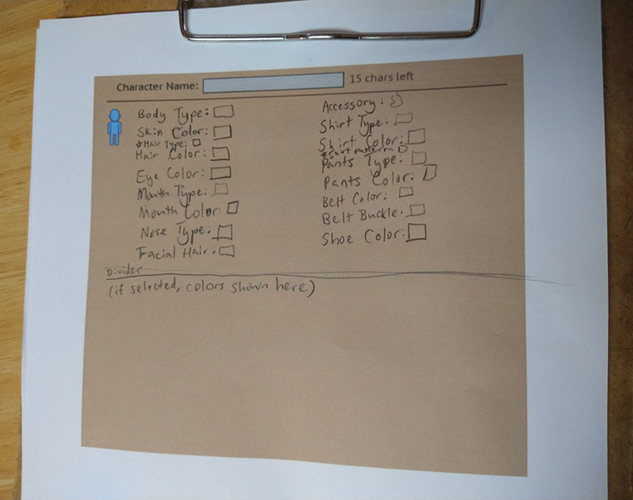

Ignore the sloppy handwriting! I wasn’t going for neatness. I was hastily trying to get what I envisioned down on paper!
With a visual to reference, coding the system in could begin.
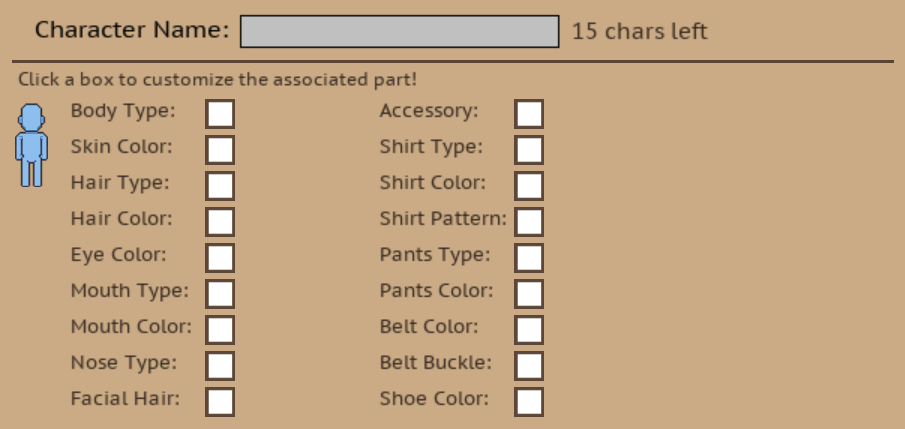
I realized the character panel was a tad too bright, so I changed the color to something a tiny bit darker. I updated the character art so that it reflected the current selections. I added all of the colors governing the character’s skin, hair, eye, mouth (lip), shirt, pants, belt, belt buckle, and shoe colors.
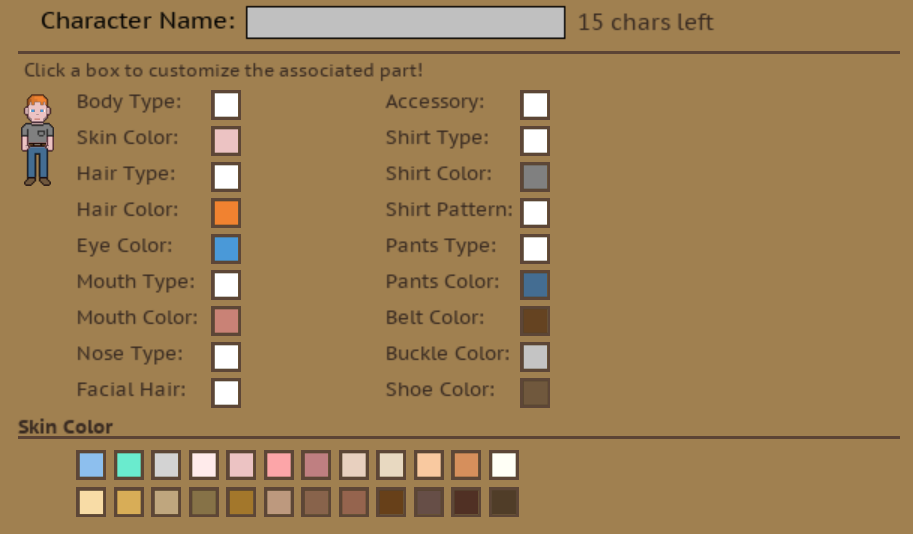
It was important to me to provide a wide variety so that players have a generous amount of options and so that they could make characters in countless visual combinations. This is something that bugs me about some games. When the character options are very limited, it stymies my ability to tailor the character to my preferences which, in turn, makes it harder to connect with and build stories in my head about the character.
In real life, people come in all manners of shape, colors, and sizes.
For sake of simplicity, I’m planning on sticking to two main body types (male and female), but am going to use the various types of color options to let players really dig in deep and customize their characters.
Next came adding in different part types including body type, hair, mouth, nose, facial hair, accessory, shirt, shirt pattern, and pants. For each type, I’d add at least one option. For example, for shirt types, I added two different types of shirts (one with a pocket and one without.)
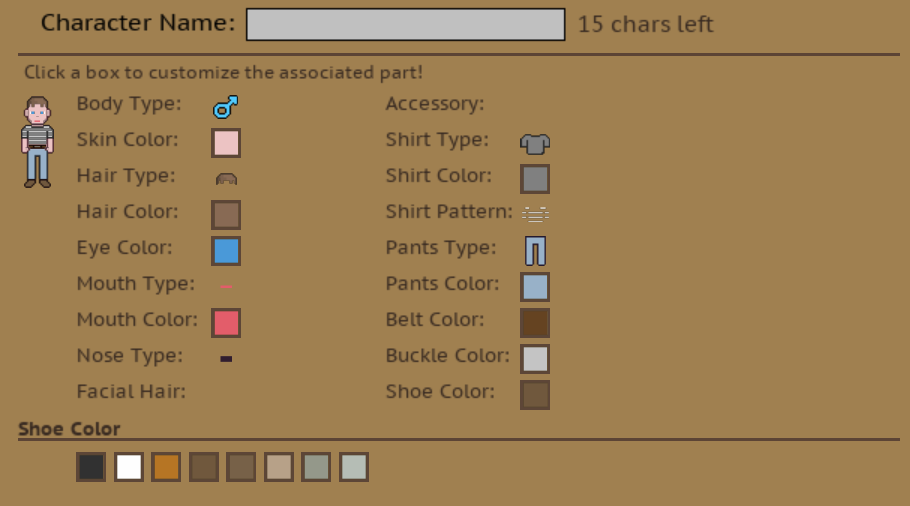
I showed the progress I’d made to my husband, and he thought it was awesome, but he also suggested that I make the art size bigger because he just couldn’t see it well. I had, at one point, made the art bigger, but as the art was experiencing some weird quality degradation issue, it only made it look worse when larger. I figured that at a later point, I would figure it out.
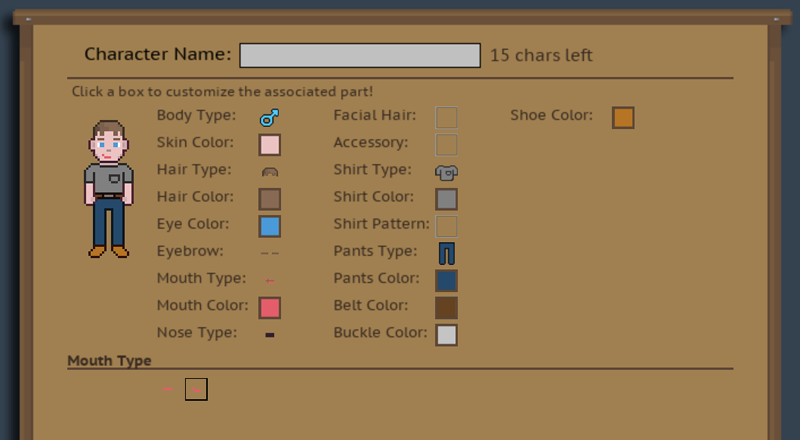
And I did. As it turns out, pixel interpolation works great for smoothing out stuff like text, but it makes lower res pixel art look positively awful. Once I narrowed down this as the problem, I was able to selectively turn pixel interpolation on and off for certain parts of the code. I doubled the art size and voila, it’s easy to see and looks so much better.
With that little roadblock behind me and all options added, it was time to look at adding the art for the female body type. I’m not going to lie; I was a little intimidated about doing this. I am admittedly a novice pixel artist. You can tell that by the basic quality of the art. I’m learning, though, and this, I knew, would be an opportunity to gain experience.
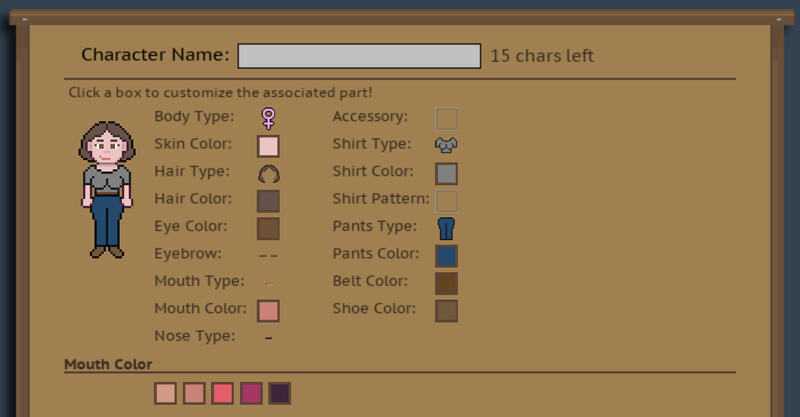
So, it’s not perfect and she’s way more busty than I intended her to be, but hey, you gotta start somewhere! I made a number of changes to the male template to arrive at this point. The female is a pixel shorter, is not flat-chested, doesn’t have much of a neck, and has thinner arms, different hands, a smaller torso, a shorter (and slightly wider) head, and has side-eyelashes.
I removed male features including facial hair and belt buckles as options for the female body type. These changes seemed appropriate. 😉
This morning, I de-bugged the female part of the Character Creator, and as a whole, it’s now functionally complete. I think it turned out good; it’s clean and intuitive. I found that experimenting with different colors was fun. It’s easy to make wildly different-looking characters.
In closing, I do have some iterating to do. I intend to iterate on the art over time, improving it gradually. I want to add different belt types for both body types (in addition to opting out of belts entirely.) I also have a ton of color options I need to add. The iteration is going to take some type, but the belt type addition and color options should all come easily, and will likely be done by the end of the day!
Want to see the initial development of the character art? CLICK HERE.