My setup for keeping track of what I’m working on, what I plan to add, things to tweak, bugs I need to fix, and other important things is kind of rudimentary. It’s a list in a Notepad file categorized by Things to Add, Content to Finish Adding, Adjustments to Make, Bugs to Fix, and Feedback Received.
On any given day, the file is usually open, and it’s one of the first things I look at on my computer in the morning. Depending on how busy a day is going to be will determine what I work on. Lots of time? I’ll pick something more demanding. Not a lot of time? I’ll pick something quick and easy. I’ve thought about using AnyType to make a more accessible, visually aesthetic running list of things to work on, but for right now, the Notepad file is good enough for my purposes.
I’ll admit that it’s fun adding posts to this blog about what’s been added along with pictures and explanations. Sometimes, though, what’s been added or changed doesn’t really warrant a blog post. These changes are often small and unimpressive.
It is quite easy to make hundreds of changes without any of those things being particularly newsworthy. So, even if I’m not posting anything fun and interesting, a lot is still getting done. 🙂
Always Looking to Improve
A good example of a change that was unimpressive but vital was the recent effort I made to refactor the save data. Half of it was being saved to the original DS map data structure I made. The other half was neatly sorted into individual maps which were then embedded into the original map. As such, half of the save data code was different from the other half.
I considered this ‘low key annoying.’ The different save code structures didn’t make things any harder to do, but when I needed to add new data, I had to stop and determine real quick which type of save code I needed to use. Ugh. Annoying. It’s kind of disruptive to have to differentiate.
So, needless to say, I’d been planning on updating the old code so that the structure of all save data matched.
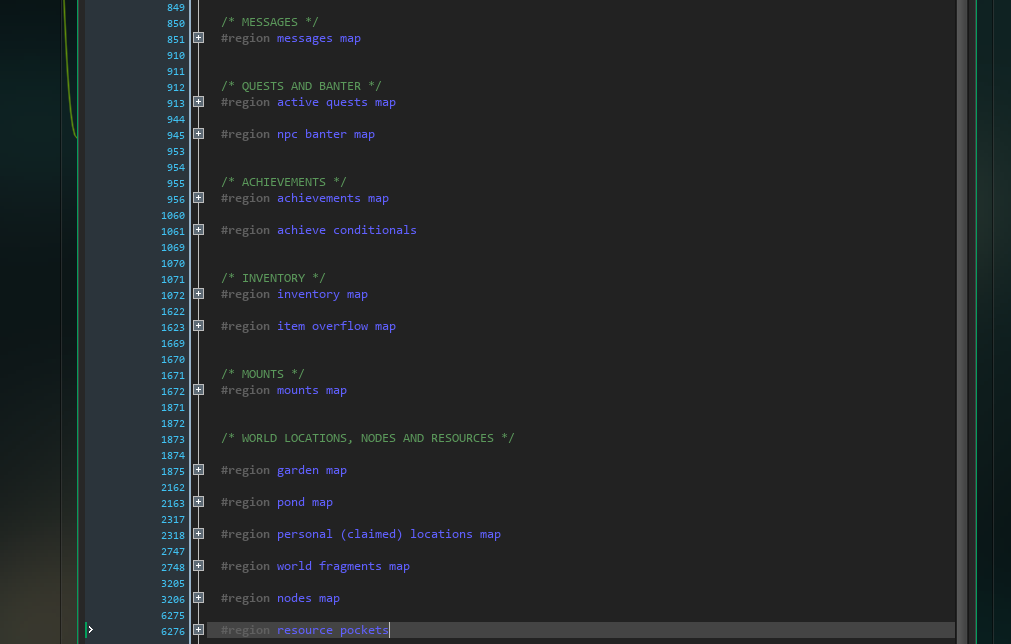
I didn’t figure it would take too awful long to get everything converted, but it ended up taking all day long. Talk about tedious! It was worth the effort, though, as adding save data just seems to go so much more quickly now.
After refactoring the code, I decided to sort the subsets of data so that it was consistent among the different objects and scripts that it’s referenced by. I was a little bit surprised at how unorganized all of that data actually was. I try to keep my code as clean and readable as possible, but when I’m tired, I may get a little lazy and sloppy with things like placement.
So, that is all now organized. What a relief. It’s also a lesson re-learned. It’s really worth it to take the time and keep your code well-organized as you go so that you don’t have to fuss with it later.
The Character Creator Integrated Into The World
One final thing I wanted to touch on in this post: I thought a follow-up on the Character Creator system was in order.
As you can see below, the Character Creator has been integrated into the game world. It costs nothing to change your character’s looks and is accessible from the Character module. It is considered a world location, so clicking to access it initiates a teleport.
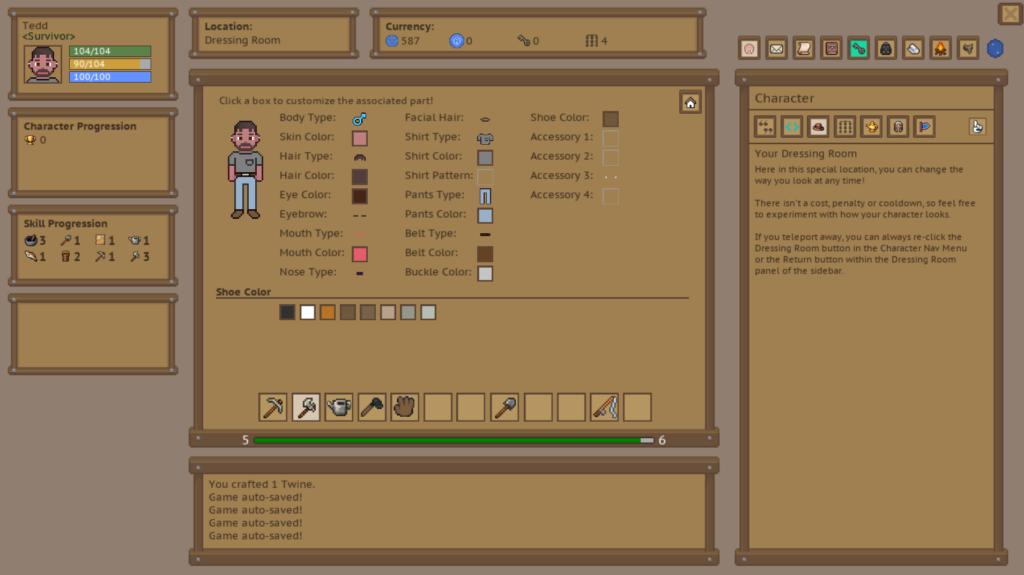
I’m pretty happy with how it turned out and while it’s functionally complete, I do have to go in and add a lot more options for the various parts. Right now, though, I’m focused on adding and finishing major systems. I plan on fleshing out content like this at a later date.